
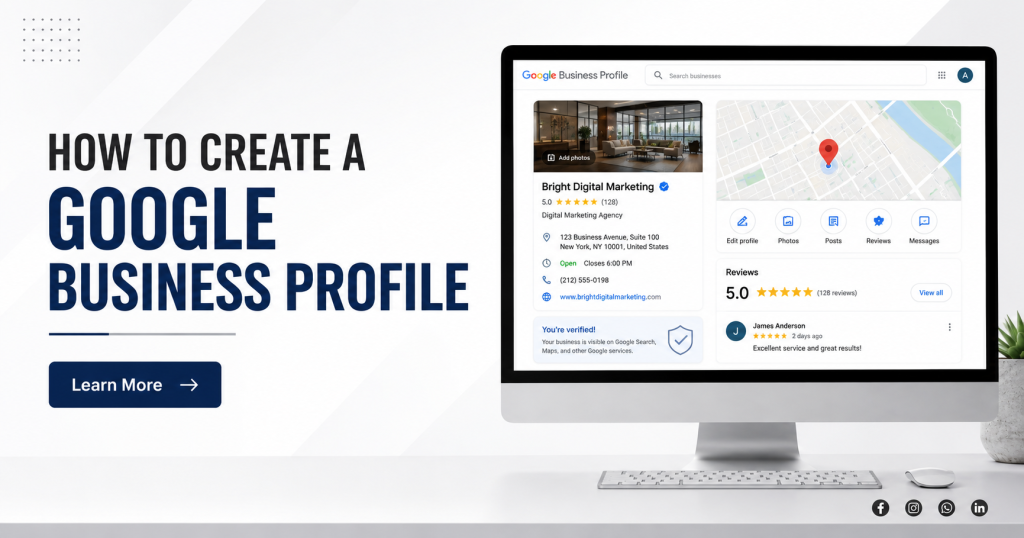
If you run a business today, one of the easiest ways to increase your visibility online is by creating a Google Business Profile. Whether you’re a local service provider, retailer, consultant, restaurant owner, healthcare professional, or agency, a properly optimized Google Business Profile can help potential customers find your business through Google Search and Google Maps.
Many business owners spend money on websites, social media marketing, and paid advertising but overlook one of the most powerful free tools available from Google.
The good news is that creating a Google Business Profile is straightforward when you follow the right process.
In this guide, you’ll learn how to create a Google Business Profile, verify your business, optimize your listing, and avoid common mistakes that can affect your local search visibility.
What Is a Google Business Profile?
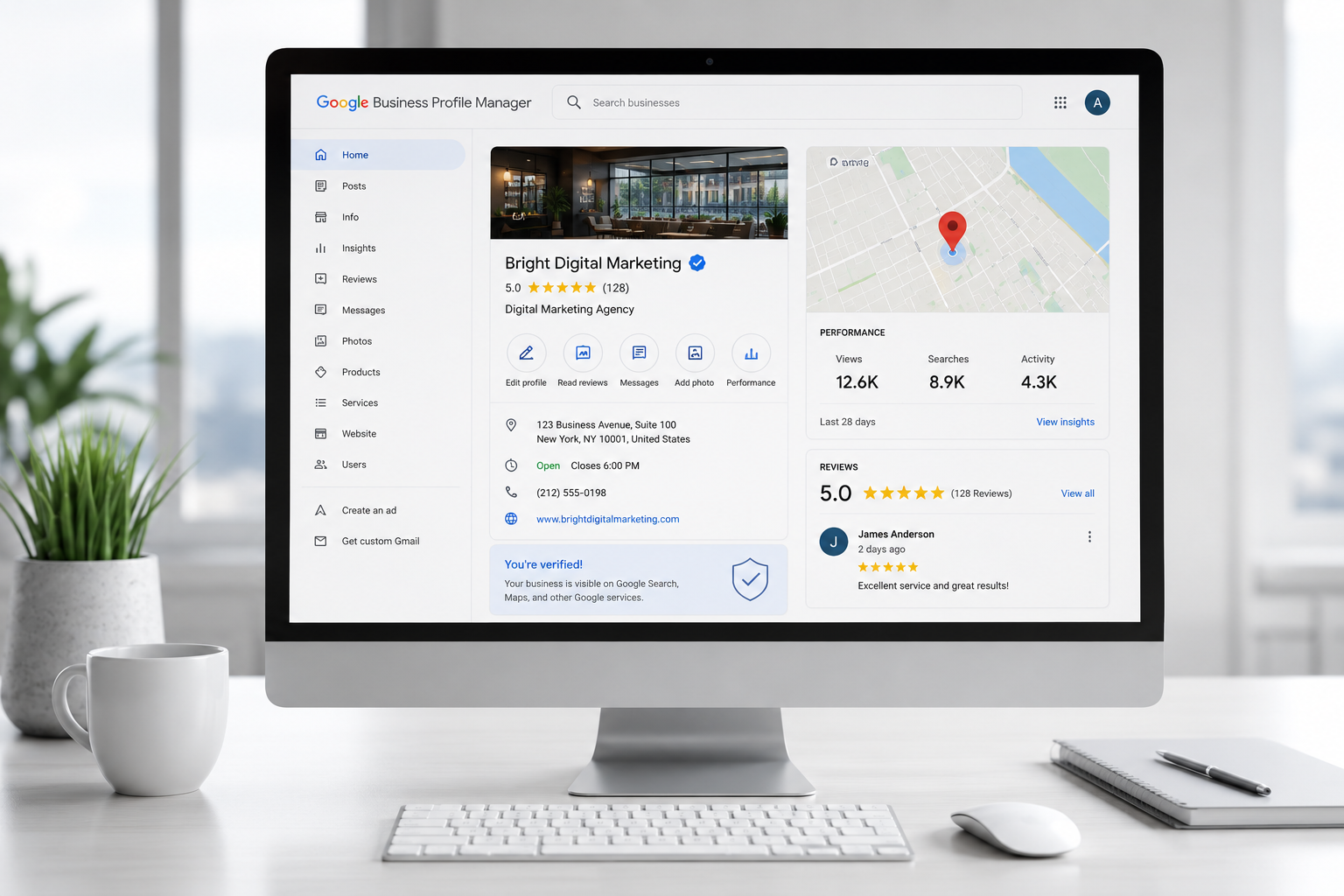
A Google Business Profile is a free business listing that allows your company to appear in Google Search and Google Maps when customers search for products or services related to your business.
Your profile can display important information such as:
- Business name
- Phone number
- Website
- Address
- Business hours
- Customer reviews
- Photos and videos
- Services and products
- Business updates
A complete profile helps potential customers quickly understand who you are, what you offer, and how they can contact you.
Why Is a Google Business Profile Important?
When people search for services near them, Google often displays local business listings before traditional website results.
For example, users search:
- Digital marketing agency near me
- Corporate stay in BKC
- Interior designer in Mumbai
- Gym near me
- Software company in Mumbai
Google Business Profiles help businesses appear in these local searches.
Some key benefits include:
- Increased local visibility
- More website visits
- More phone calls
- More direction requests
- Better trust through customer reviews
- Higher local search rankings
- Greater presence on Google Maps
For many businesses, a well-managed Google Business Profile generates leads without ongoing advertising costs.
Is Google Business Profile Free?
Yes.
Creating and managing a Google Business Profile is completely free.
You do not need to pay Google to create a listing, verify your business, add photos, publish updates, or respond to reviews.
However, you can choose to run Google Ads separately if you want additional visibility.
What Information Do You Need Before Creating a Google Business Profile?
Before starting the setup process, gather the following information:
Business Name
Use your actual business name exactly as customers know it.
Business Category
Choose the category that best represents your primary service.
Examples:
- Digital Marketing Agency
- Software Company
- Restaurant
- Gym
- Hotel
- Interior Designer
Contact Information
Prepare:
- Phone Number
- Website URL
- Email Address
Business Address
If customers visit your location, provide the physical address.
If you’re a service-area business, you can hide the address and define service areas instead.
Business Hours
List accurate operating hours.
Business Description
Prepare a short summary explaining your services and expertise.
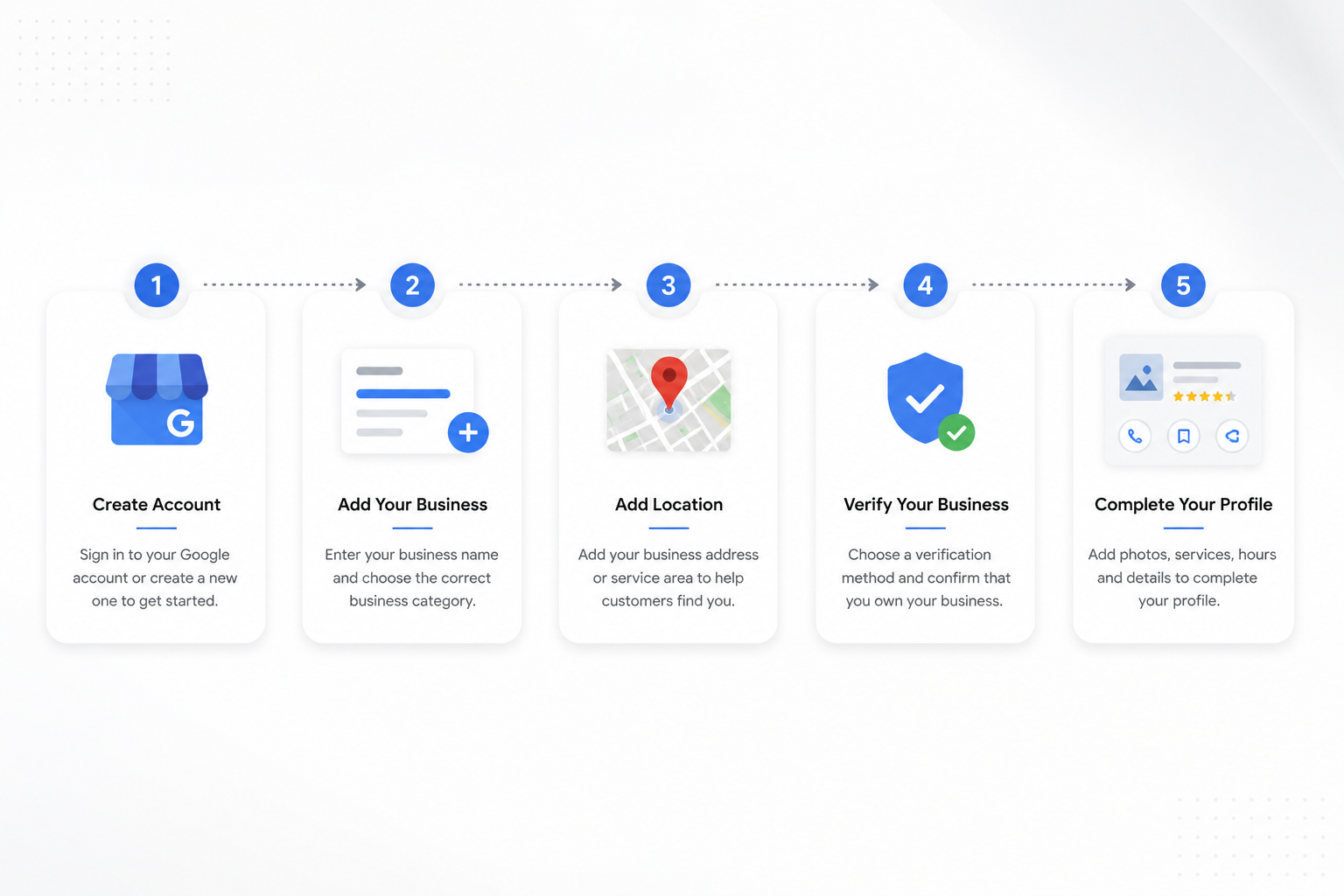
How to Create a Google Business Profile Step by Step
Step 1: Sign In to Google
Use a Google account associated with your business.
If you don’t have one, create a new Google account dedicated to your business.
Step 2: Visit Google Business Profile
Go to the Google Business Profile setup page and click on the option to add your business.
Step 3: Enter Your Business Name
Type your official business name.
If Google already has a listing, it may suggest existing records.
Select the correct option if your business already exists.
Step 4: Choose Your Business Category
Your primary category is one of the most important local SEO factors.
Choose the category that most accurately describes your core business.
You can add additional categories later.
Step 5: Add Your Business Location
If customers visit your location:
Add your complete address.
If you operate remotely or visit clients:
Select service-area business and specify the locations you serve.
Step 6: Add Contact Information
Enter:
- Business Phone Number
- Website URL
This information helps customers contact you directly.
Step 7: Complete the Profile
Add:
- Business Description
- Hours of Operation
- Services
- Products
- Photos
The more complete your profile is, the better your chances of attracting customers.
How Does Google Verify a Business Profile?
Verification confirms that your business is legitimate.
Google may offer one or more verification methods:
Video Verification
Many businesses now verify through video submissions.
Google may ask you to show:
- Business signage
- Workspace
- Equipment
- Business documents
Phone Verification
Available for some businesses.
Email Verification
Available in limited cases.
Live Video Verification
Google may request a live verification session.
The verification method available depends on your business type and location.
How Long Does Google Business Profile Verification Take?
Verification times vary.
In many cases:
- Video verification reviews may take several days.
- Some businesses may be approved faster.
- Additional reviews may take longer if Google requires further validation.
Always ensure your submitted information matches your business details accurately.
Can I Create a Google Business Profile Without a Physical Store?
Yes.
Many service-based businesses successfully use Google Business Profiles without a storefront.
Examples include:
- Digital Marketing Agencies
- Interior Designers
- Consultants
- Software Development Companies
- Home Service Providers
You can define service areas and choose not to publicly display your address.
Common Google Business Profile Verification Problems
Many businesses experience verification challenges.
Common issues include:
Incomplete Business Information
Missing details can delay approval.
Inconsistent Business Information
Your website, business profile, and citations should display matching information.
Poor Quality Verification Videos
Videos should clearly show your business operations.
Incorrect Business Category
Selecting the wrong category can create complications.
How to Optimize Your Google Business Profile for Local SEO
Creating a profile is only the first step.
Optimization plays a major role in local rankings.
Complete Every Section
Fill out every available field.
Add High-Quality Photos
Upload:
- Exterior Photos
- Interior Photos
- Team Photos
- Service Photos
- Product Photos
Publish Regular Updates
Share:
- Company News
- Offers
- Events
- New Services
Collect Customer Reviews
Reviews are among the strongest local trust signals.
Encourage satisfied customers to leave honest feedback.
Respond to Reviews
Reply to both positive and negative reviews professionally.
Add Services and Products
Detailed service listings help Google better understand your business.
Why Is My Business Not Showing on Google Maps?
Possible reasons include:
- Profile not verified
- New listing still being processed
- Incomplete profile
- Category issues
- Strong local competition
- Lack of reviews
- Insufficient local SEO signals
Improving profile completeness and consistency often helps improve visibility.
Common Google Business Profile Mistakes to Avoid
Many businesses accidentally limit their visibility.
Avoid these mistakes:
- Using keyword-stuffed business names
- Choosing incorrect categories
- Ignoring reviews
- Uploading low-quality photos
- Using inconsistent contact information
- Leaving profiles incomplete
- Creating duplicate listings
How to Rank Higher on Google Maps
Businesses that consistently rank well usually focus on:
Relevance
Ensure your profile accurately represents your services.
Distance
Optimize for the areas you actually serve.
Prominence
Build authority through:
- Reviews
- Website SEO
- Local citations
- Backlinks
- Business mentions
Local SEO is a long-term strategy, but businesses that maintain accurate and active profiles often see stronger visibility over time.
Frequently Asked Questions
Can I Create More Than One Google Business Profile?
Yes, if each listing represents a legitimate and distinct business location.
Do I Need a Website?
No, but having a professional website significantly improves credibility and local SEO performance.
How Many Photos Should I Upload?
There is no fixed number, but businesses with active, updated photo galleries generally perform better.
Can I Edit My Business Information Later?
Yes. Most profile details can be updated whenever necessary.
Is Google Business Profile Important for Local SEO?
Absolutely. It is one of the most important components of local search visibility.
Final Thoughts
Creating a Google Business Profile is one of the most valuable steps a business can take to improve its online presence. A properly set up and optimized profile can help you appear in Google Search, Google Maps, and local search results when potential customers are actively looking for your services.
The process itself is straightforward, but long-term success comes from maintaining accurate information, collecting reviews, publishing updates, and continuously improving your local SEO strategy.
Whether you’re a startup, local business, agency, consultant, or established company, investing time in your Google Business Profile can generate lasting visibility and customer growth.